-checkstyle
-> 코딩 표준을 지켜서 코드를 작성했는지
확인할수 있게 해주는 플러그인
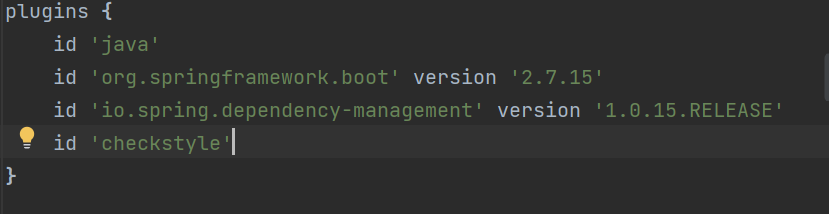
build.gradle의 plugins 영역에
id 'checkstyle' 을 추가

프로젝트의 최상위 디렉터리에 위와 같이
config/checkstyle 형태의 디렉터리 생성 및
파일 생성

checkstyle.xml에는 위의 내용과 같은
코드를 추가

터미널의 루트 프로젝트에서
위의 명령어를 실행

테스트 실패

원인을 보니 코드 작성시 tab을 사용해서
에러가 발생한거 같다.
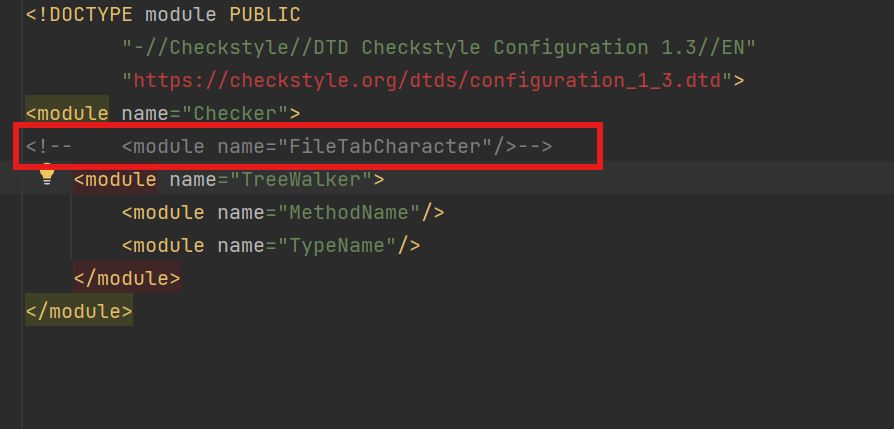
tab관련 설정을 주석처리 후 다시 시도
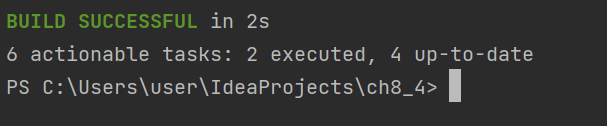
테스트가 정상적으로 종료
https://docs.gradle.org/current/userguide/checkstyle_plugin.html
The Checkstyle Plugin
By default, the Checkstyle plugin expects configuration files to be placed in the root project, but this can be changed. └── config └── checkstyle (1) └── checkstyle.xml (2) └── suppressions.xml 1 Checkstyle configuration files go h
docs.gradle.org
https://github.com/spring-io/spring-javaformat#checkstyle-1
GitHub - spring-io/spring-javaformat
Contribute to spring-io/spring-javaformat development by creating an account on GitHub.
github.com
'other' 카테고리의 다른 글
| jenkins 파이프 라인에 sonarqube 적용하기 (0) | 2025.11.18 |
|---|---|
| nginx default index.html 파일 위치 (0) | 2025.11.16 |
| Spring Boot에서 MockMVC를 사용하여 api 테스트 진행하기 (0) | 2025.11.11 |
| [other] sts에 marketplace 설치하기 (1) | 2025.03.19 |
| [other] window에서 os product키를 찾는 방법 (0) | 2025.01.28 |


