프로메테우스가 설치되어 있는 vm에서 재실행할때마다
실행파일로 직접 실행해 주어야 해서
서비스 파일로 만들어서 서비스로
실행하도록 할 예정
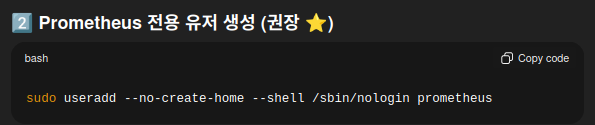
prometheus 유저 생성
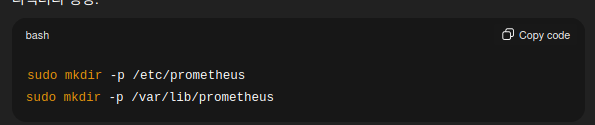
디렉터리 생성

기존의 파일을 이동
(prometheus는 실행파일, prometheus.yml은 설정파일)

파일의 소유자와 그룹을 변경
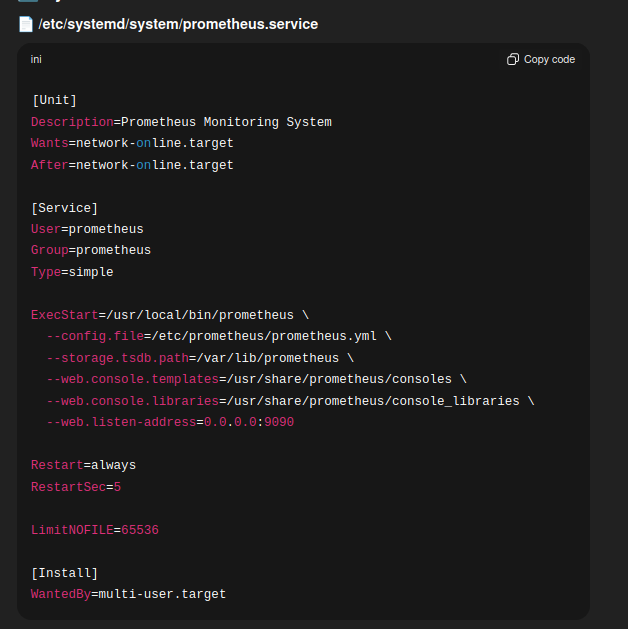
서비스 파일 예시

실행 옵션 확인

prometheus의 설정 파일인 prometheus.yml에 변경이 발생했을때
http요청으로 재시작을 할수 있도록 위의
옵션을 추가

수정된 서비스 파일
sudo systemctl daemon-reexec
sudo systemctl daemon-reload
systemd 반영
sudo systemctl start prometheus
서비스 시작
sudo systemctl enable prometheus
부팅시 자동 시작
sudo systemctl status prometheus
상태 확인
promtool check config /etc/prometheus/prometheus.yml
프로메테우스 설정파일 확인

invalid argment에러와 함께 실행이 되지않음
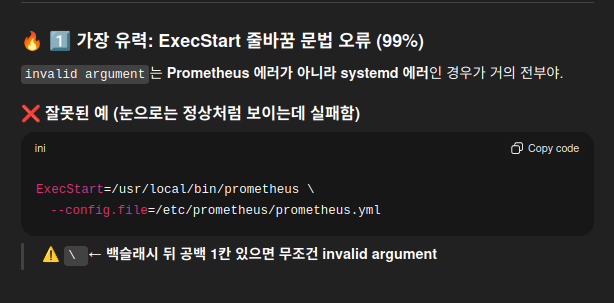
위의 문제는 아님

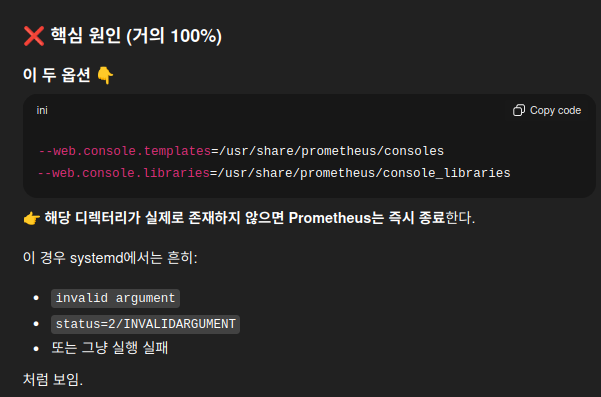
위의 디렉터리가 생성되어 있지 않아서 그런것으로 확인
sudo mkdir -p /usr/share/prometheus
sudo cp -r prometheus-2.52.0.linux-amd64/consoles /usr/share/prometheus/
sudo cp -r prometheus-2.52.0.linux-amd64/console_libraries /usr/share/prometheus/
sudo chown -R prometheus:prometheus /usr/share/prometheus
미존재 디렉터리 생성 및 소유자 변경

prometheus 서비스로 실행 성공
'ops > prometheus' 카테고리의 다른 글
| python에서 prometheus-client 사용하기 (0) | 2025.12.18 |
|---|---|
| nohup ./blackbox_exporter --config.file=blackbox.yml > blackbox.log 2>&1 & (0) | 2025.12.14 |
| [prometheus] 도커엔진에서 프로메테우스 측정 기능을 명시적으로 활성화하기 (0) | 2024.10.19 |

