진행할 작업

1.시각화 영역에서 데이터의 모든 Labels가 아닌 특정 노드에 대한 정보만 확인할수 있도록 수정할 계획
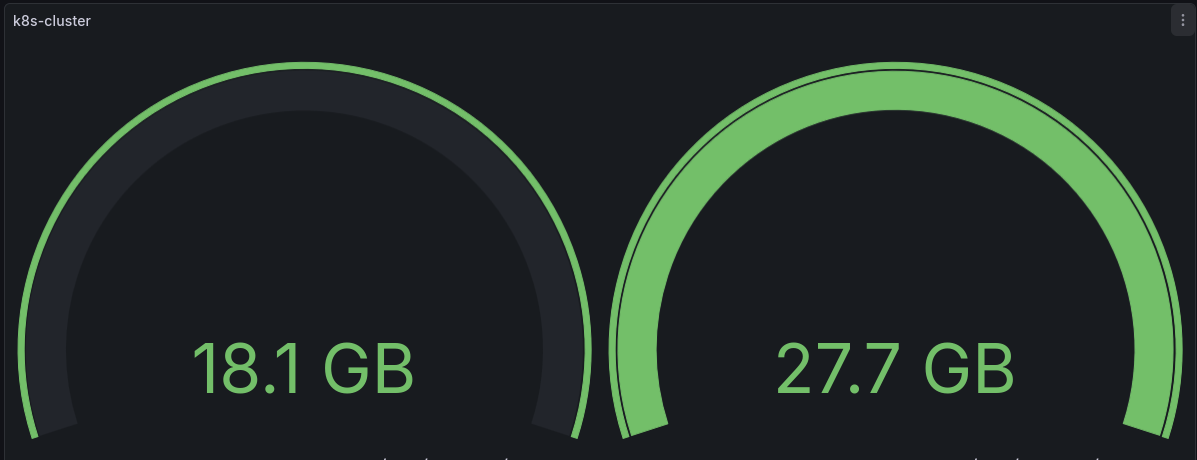
2. 사용중인 용량 / 전체 용량을 하나의 시각화(Gauge)로 출력할 계획
-인스턴스 label만 출력되게 하기
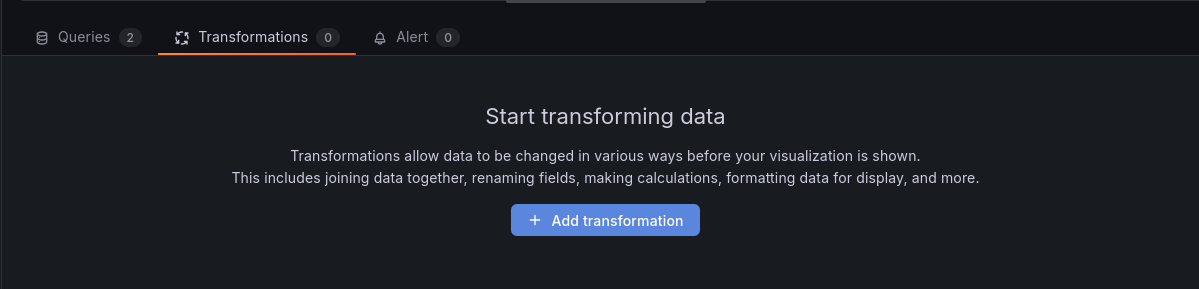
Transformation -> Add transformation

맨 우측 Labels to fields 선택

instance 선택
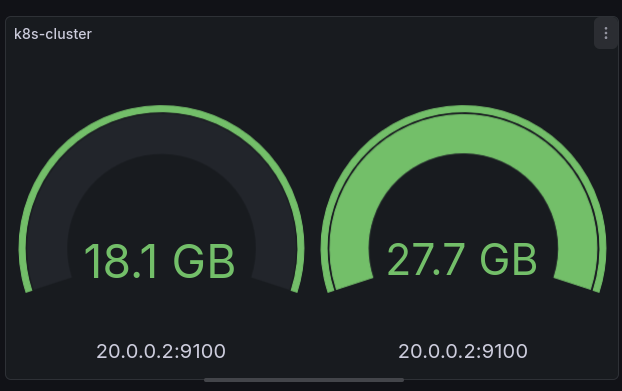
instance 정보만 출력
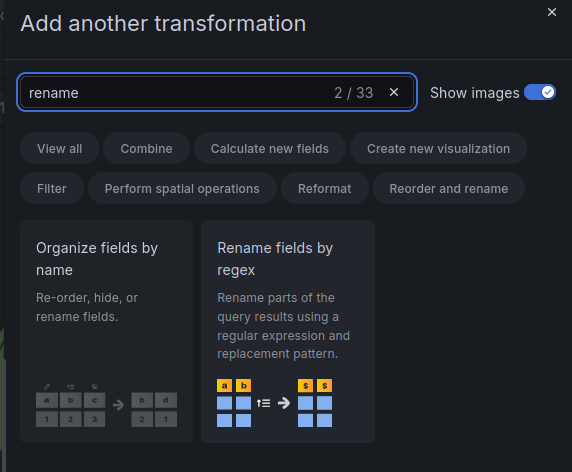
Rename fields by regex를 사용하여

정규식으로 포트번호를 제외한 ip만 확인할수 있도록 할수 있음
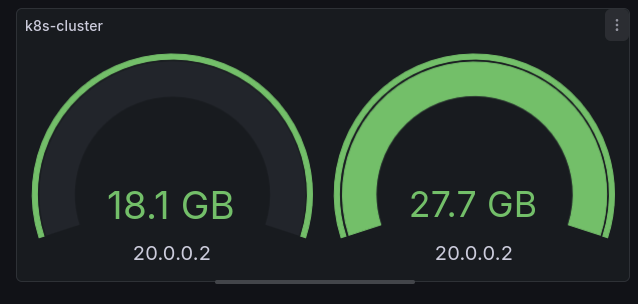
-하나의 gauge에서 디스크 사용량을 확인할수 있도록 하기
#쿼리문
100 * (
  1 -
  last_over_time(
  node_filesystem_avail_bytes{
    instance="20.0.0.2:9100",
    mountpoint="/",
    fstype!~"tmpfs|overlay|squashfs"
  }[5m])
  /
  last_over_time(
  node_filesystem_size_bytes{
    instance="20.0.0.2:9100",
    mountpoint="/",
    fstype!~"tmpfs|overlay|squashfs"
  }[5m])

)
쿼리문을 하나만 남기고 위의 쿼리를 입력
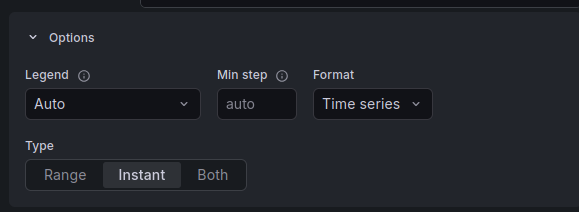
쿼리문 옵션을 Instant로 설정
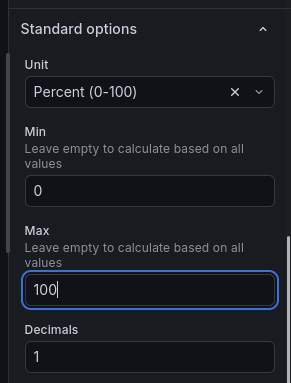
gauge 설정 화면의 Standard options을 위와 같이 설정
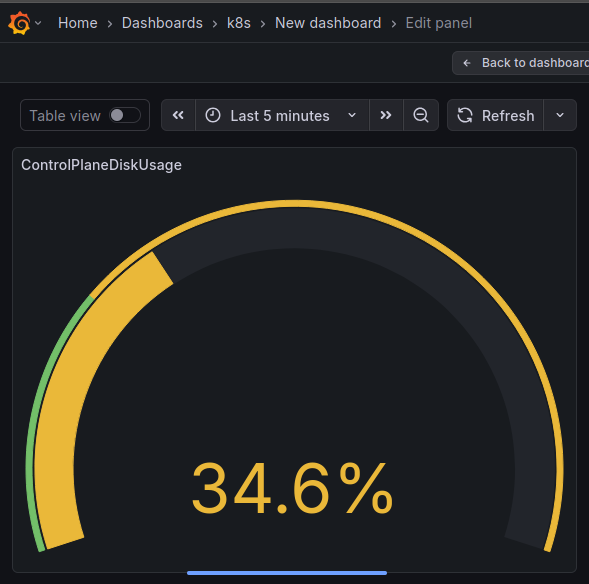
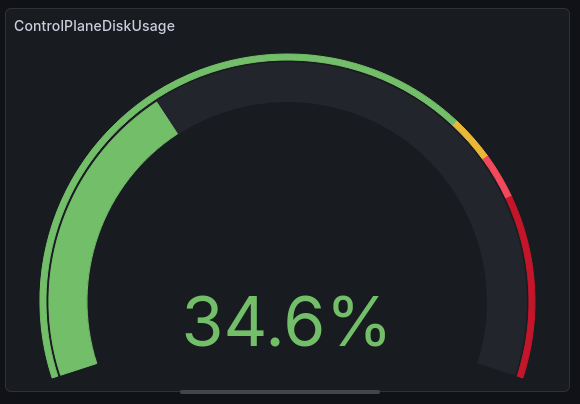
출력 화면
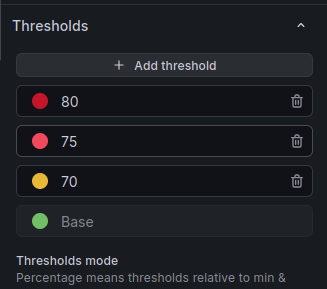
threshold를 설정하여
사용가능한 용량에 따라
색이 변하도록 할수 있음
'ops > kubernetes' 카테고리의 다른 글
| docker registry용 secret 생성하기 (0) | 2026.01.30 |
|---|---|
| pv & pvc storage class (0) | 2026.01.24 |
| 쿠버네티스 클러스터에서 프로메테우스 metric을 그라파나 메트릭으로 사용하기 - 2 (0) | 2026.01.13 |
| 쿠버네티스 클러스터에서 프로메테우스 metric을 그라파나 data source로 사용하기 - 1 (0) | 2026.01.13 |
| prometheus grafana helm chart 업그레이드 하기 (0) | 2026.01.12 |

