1. az 명령어 다운로드 및 환경설정
#az 명령어 설치
curl -sL https://aka.ms/InstallAzureCLIDeb | sudo bash

#설치 확인
which az

/usr/bin/az

#로그인 정보 설정

sudo vi ~/.bashrc

export AZURE_CLIENT_ID=<appId>
export AZURE_CLIENT_SECRET=<password>
export AZURE_TENANT_ID=<tenant>
export AZURE_SUBSCRIPTION_ID=<subscriptionId>

source ~/.bashrc #셸에서 바뀐 파일을 읽어 들인다.

tenant id 확인 - 1
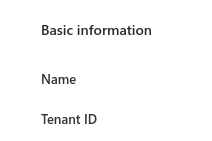
Tenant ID의 값을 환경변수로 설정해 주면은 된다.
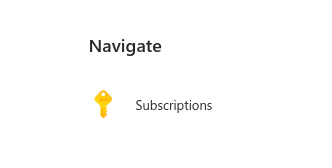
구독확인 - 1
메인 화면의 Subscriptions 클릭
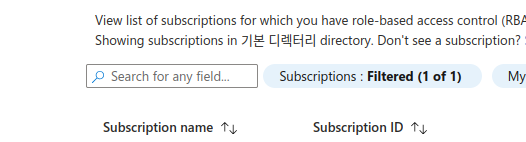
Subscription ID를 환경변수의 값으로 사용하면은 된다.
2. meshery의 azure operator 사용을 위한 권한(rbac) 설정
#azure 로그인
az login #브라우저가 열리면 로그인

#사용할 subscription과 tenant를 선택
[Tenant and subscription selection]

#az 명령어 테스트

az resource list

[] #아무런 리소스도 생성하지 않았음


#service principal 생성
az ad sp create-for-rbac -n azure-service-operator --role contributor \
                            --scopes /subscriptions/<AZURE_SUBSCRIPTION_ID> #구독id


The output includes credentials that you must protect.  #이 명령어가 나온다면 성공
Be sure that you do not include these credentials
in your code or check the credentials into your source control.
For more information, see https://aka.ms/azadsp-cli
3. Azure Service Operator 설치
#설정

mesheryctl system start #mersheryctl 명령어로 클러스터에 meshery 관련 리소스 설치


#Azure Service operator에 필요한 cert-manager 설치

kubectl apply -f https://github.com/jetstack/cert-manager/releases/download/v1.14.1 \
                        /cert-manager.yaml


#ASO 배포

kubectl apply -f https://github.com/Azure/azure-service-operator/ \
                 releases/download/v2.13.0/azureserviceoperator_v2.13.0.yaml


#ASO를 위한 k8s secret 생성 ("$"로 시작하는 값들은 환경변수에서 가지고 와서 설정하는 값들이다.)
kubectl create secret generic azure-credentials --namespace \
                              azureserviceoperator-system \
                              --from-literal=AZURE_CLIENT_ID=$AZURE_CLIENT_ID \
                              --from-literal=AZURE_CLIENT_SECRET=$AZURE_CLIENT_SECRET \
                              --from-literal=AZURE_TENANT_ID=$AZURE_TENANT_ID \
                              --from-literal=AZURE_SUBSCRIPTION_ID= \
                                $AZURE_SUBSCRIPTION_ID


secret/azure-credentials created #생성 성공
reference
Meshery Documentation
As a self-service engineering platform, Meshery enables collaborative design and operation of cloud native infrastructure.
docs.meshery.io
'open source > meshery' 카테고리의 다른 글
| meshery를 사용한 azure 리소스 프로비저닝 - 3 (0) | 2026.02.02 |
|---|---|
| meshery를 사용한 azure 리소스 프로비저닝 - 2 (0) | 2026.02.02 |
| meshery 프로젝트 설정 - 3 (클러스터 정보를 ui에서 확인) (0) | 2026.01.29 |
| meshery 프로젝트 설정 - 2 (환경설정 & 설치) (0) | 2026.01.29 |
| meshery 프로젝트 설정 - 1 (0) | 2026.01.29 |


